
Last updated: October 15, 2026
Quick answer: Google Business Profile optimization means making your free Google listing complete, accurate, and active so it shows up in Google Maps and local search. Verify the profile, choose the most specific primary category, fill in every relevant field, keep hours current, add real photos, earn and answer reviews, and match it to your website.
When someone nearby searches “roofer near me” or “family law attorney,” Google shows a map with three businesses before any regular website. If yours is not one of them, those calls go to a competitor. Google Business Profile optimization is the fastest, cheapest way to compete for that spot, and it costs nothing but time. You will learn how Google ranks local businesses, which profile fields matter most, which features have changed or disappeared, and a numbered checklist you can work through this week.
Key Takeaways
- Google says local results depend mainly on three things: relevance, distance, and prominence. You control relevance and prominence; you cannot change distance.
- A complete, verified profile with an accurate primary category does more than any trick. Keyword-stuffing your business name breaks Google’s guidelines.
- Reviews and your replies to them are a visible trust signal for both Google and customers.
- Your profile and your website must agree on name, address, phone, and hours.
- Some features have changed: the Q&A API was shut down in November 2025, so focus on fields and features that still exist.
What Is Google Business Profile Optimization?
Google Business Profile optimization is the ongoing work of completing, verifying, and updating your free Google listing so it shows up and converts in local results. Google Business Profile is Google’s free tool for managing how your business appears in Google Search and Google Maps. It is the same product many owners still call “Google My Business” or “GMB.”
Your profile controls the panel that appears when someone searches your business name, and the listing that appears in the local map results. It holds your name, address or service area, phone number, hours, website, photos, services, and reviews.
How Does Google Rank Businesses on Google Maps?
Google says local results are based mainly on relevance, distance, and prominence. These are the core Google Maps ranking factors, and every optimization step supports one of them.
Relevance
Relevance is how well a Business Profile matches what someone is searching for. Google relies on your categories, services, description, and other details to decide whether you fit a search like “commercial roofing” or “estate planning lawyer.” The more complete and specific your profile, the easier that match becomes.
Distance
Distance is how far your business is from the person searching. If the searcher does not share a location, Google uses what it knows about where they are. You cannot optimize distance, which is why a business 20 miles away rarely outranks one around the corner for “near me” searches.
Prominence
Prominence is how well known your business is. Google lists factors such as how many websites link to you and how many reviews you have, and says more reviews and positive ratings can help your local ranking. This is where your website, local content, and review strategy pay off.
Google also states plainly that there is no way to request or pay for a better local ranking. Anyone selling “guaranteed Maps rankings” is selling something Google does not offer.
Which Google Business Profile Fields Matter Most?
The fields that matter most are your business name, primary category, address or service area, hours, and phone number, because they drive both relevance and trust. Secondary fields such as services, description, and attributes add detail that helps Google match you to more searches.
| Profile field | What to enter | Optimization tip |
|---|---|---|
| Business name | Your real-world name, exactly as on your sign | No added keywords, cities, or taglines |
| Primary category | The single most specific category for your core business | “Roofing contractor” beats “Contractor” |
| Additional categories | Up to 9 more | Use as few as accurately describe you |
| Address / service area | Precise street address, or hidden address plus service area | No P.O. boxes or virtual offices |
| Hours and special hours | Regular customer-facing hours, plus holiday hours | Update before every holiday |
| Phone number | A local number you control (up to 2 more allowed) | Use the same number as your website |
| Website | Full URL with https:// | Link to your homepage or a matching location page |
| Description | Up to 750 characters on what you do and who you serve | No URLs or HTML; write for people |
| Services | Each service you offer, with optional descriptions | Mirror the services pages on your site |
| Attributes | Factual details such as wheelchair access or online appointments | Pick only what is true |
| Photos and videos | Exterior, interior, team, and real job photos | Add new ones regularly |
The limits above come from Google’s Business Profile Help Center as of October 2026.
Follow the Business Profile guidelines
Google’s Business Profile guidelines are the rulebook. Your name should reflect your real-world name, and extra details such as service descriptions, locations, or phone numbers do not belong in it. Service-area businesses without a storefront should hide their address and set a service area instead. Violations can lead Google to restrict or suspend a profile.
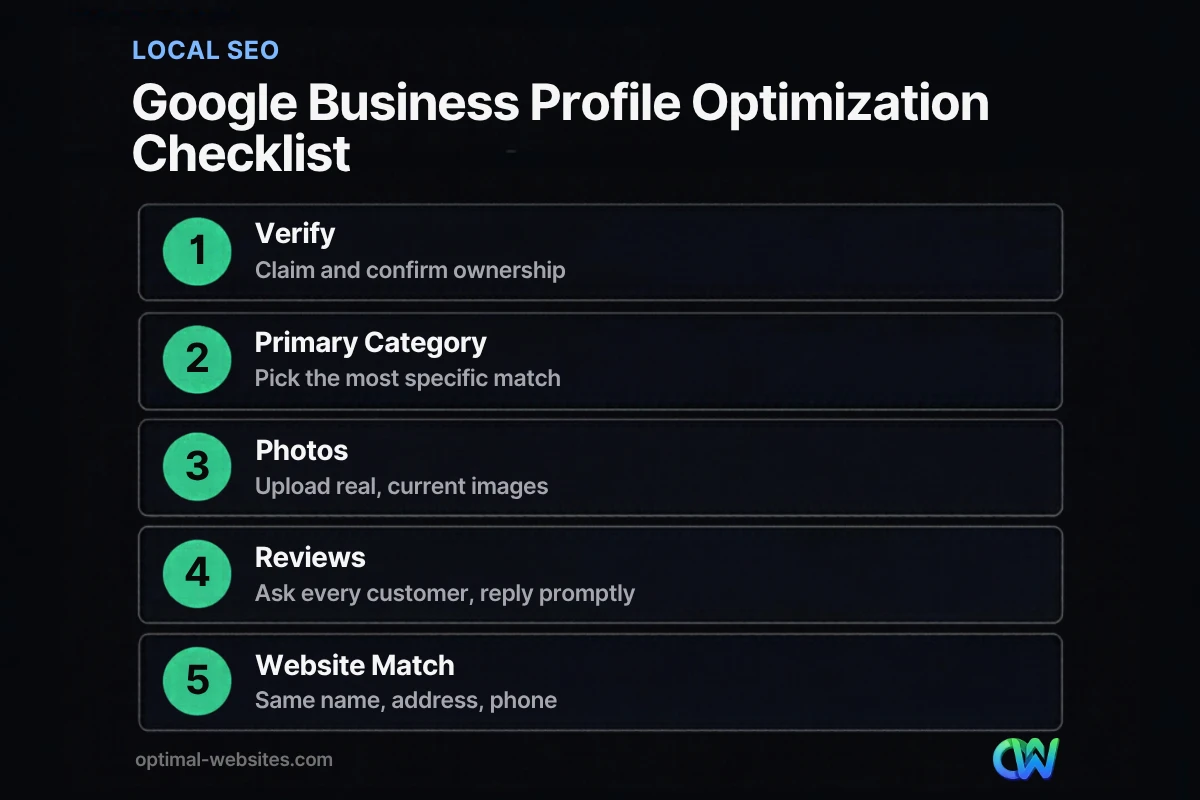
How Do You Optimize a Google Business Profile? A 12-Step Checklist
To optimize Google Business Profile listings, work through the steps below in order.
- Claim and verify your profile. Search your business name on Google or Maps, claim the listing, and complete verification. Google says verification makes your business more likely to show up in results. Verification methods vary by business type.
- Use your real business name. Match your sign, website, and paperwork. Do not add “Best Roofer Atlanta” to the name field.
- Choose the most specific primary category. This is one of the strongest relevance signals you control. Add secondary categories only if they describe real parts of your business.
- Set your address or service area correctly. Storefronts show the address. Contractors and mobile services who visit customers usually hide the address and list the areas they serve.
- Enter accurate hours, including special hours. Add holiday and temporary closures ahead of time so customers do not show up to a locked door.
- Add your phone number and website. Use a local number you control and link to the most relevant page on your site.
- Write a helpful description. Use the 750 characters to explain what you do, who you serve, and what makes you different, in plain language.
- List every service. Name services the way customers search for them, and keep them consistent with your website.
- Upload real photos and videos. Show your storefront, team, vehicles, and finished work. Stock photos do not build trust.
- Ask every happy customer for a review. Share your review link or QR code after each job.
- Reply to reviews, good and bad. Keep replies short, specific, and professional.
- Publish posts and audit the profile monthly. Share updates, offers, or events, then check that hours, phone, and photos are still accurate.
How Do GBP Posts and Reviews Help Local SEO?
GBP posts and reviews show Google and customers that your business is active and trusted. Reviews feed directly into prominence, while posts give searchers fresh, useful information right on your listing.
Reviews
Reviews are one of the few prominence signals you can grow every week. Google’s tips for getting more reviews recommend sharing a review link or QR code with customers, replying professionally, and making each reply specific rather than pasting the same thank-you note. For negative reviews, Google advises responding promptly, staying calm, and never sharing private customer details.
One rule matters more than any tip: offering discounts, freebies, or other incentives in exchange for reviews is prohibited. So is asking customers to change or remove negative reviews. The safest system is simple: ask everyone, right after a job goes well.
Posts
Posts are still a live feature as of October 2026. Google offers three post types:
- Updates for news, photos, or videos, with an optional action button
- Offers for sales or deals, with start and end dates
- Events for open houses or workshops, with dates and times
Google archives posts after six months unless you set a date range, and it reviews posts against its content policy before they go live. A post or two each month, such as a recent project photo or a seasonal reminder, keeps your listing from looking abandoned.
What happened to Q&A?
Google discontinued the My Business Q&A API on November 3, 2025, so third-party tools can no longer read or post questions and answers. Because the Q&A feature has changed, check what your own profile currently shows, and put common customer questions and answers in your description, services, and website FAQ page, where Google can still find them.
Does Your Website Still Matter for Local SEO?
Yes. Your website supports both relevance and prominence: it gives Google detail about what you do, and links to your site are one of the prominence signals Google names. A strong profile linked to a weak website leaves ranking power on the table.
Start with consistency. Your business name, address, phone number, and hours must match exactly on your profile, your website, and major directories.
Next, add LocalBusiness structured data to your site. This markup tells Google your name, address, hours, and other details in a format it reads directly. On WordPress, SEO plugins such as Rank Math or Yoast can generate it without code.
Finally, build pages that match your services and service areas. A roofing company with separate pages for roof replacement, repair, and inspection gives Google far more to work with than a single “Services” page. Our SEO for small business guide covers the on-site side in detail, and our breakdown of what a business website needs lists the pages that support local search.
Visitors who tap “Website” from your profile are usually on a phone, so speed matters. If your site struggles there, start with a mobile-friendly website.
What we see on local service sites
At Optimal Websites, a WordPress web design agency based in Delaware, many of the businesses we work with are contractors, construction firms, roofers, and law firms. The pattern we see most often is not a missing profile. It is a profile and a website that disagree: an old phone number on one, a different suite number on the other, or services listed on Google that the website never mentions. When we build mobile-first WordPress sites with Elementor Pro, we align the site’s contact details, service pages, and schema with the client’s Business Profile so both point Google to the same, consistent story.
How Optimal Websites Can Help
A Business Profile works best when it points to a fast website with clear service pages and consistent contact details. Our SEO services cover on-site local SEO, from service and location pages to LocalBusiness schema, and we build every site mobile-first on WordPress with Elementor Pro so it loads quickly for visitors coming from Maps.
Most projects launch in 2–4 weeks, and we train you with video tutorials so you can update your own site afterward. You can compare our website packages and pricing to see what fits your business.
Frequently Asked Questions
Is Google My Business the same as Google Business Profile?
Yes. Google renamed Google My Business to Google Business Profile, and it is the same free listing that appears in Google Search and Maps. Any older guide that mentions “GMB” is describing this product. Some features have changed since the rename, so follow current guidance from Google’s Business Profile Help Center rather than older articles that reference retired tools.
How long does Google Business Profile optimization take to show results?
Basic changes such as correcting hours, phone, or categories often appear on your listing within days, though Google may review some edits first. Ranking gains take longer because prominence builds over time through reviews, links, and your website. Treat Google Business Profile optimization as an ongoing monthly habit, not a one-time task, and judge progress over several months.
What are the most important Google Maps ranking factors?
Google says local results are based mainly on relevance, distance, and prominence. Relevance is how well your profile matches the search, distance is how far you are from the searcher, and prominence is how well known your business is. You can improve relevance with a complete profile and prominence with reviews, links, and a strong website.
Can I put keywords in my Google Business Profile name?
No. Google’s guidelines say your name should reflect your real-world business name, without added service descriptions, locations, or taglines. Adding keywords breaks those guidelines and puts your profile at risk of restriction. Put keywords where they belong instead: your categories, services, description, and the matching pages on your website.
How many reviews does my business need?
There is no fixed number Google publishes. What matters is a steady flow of genuine reviews and thoughtful replies, because both support prominence and customer trust. For local SEO for small business owners, the simplest system is asking every satisfied customer right after the job, using your review link or QR code, and never offering incentives.
Are Google Business Profile posts still worth doing?
Yes, GBP posts and reviews remain active features as of October 2026. Posts let you share updates, offers, and events directly on your listing, and they archive after six months unless you set dates. One or two useful posts per month, such as recent project photos or seasonal reminders, show customers your business is active.
Ready to Get Started?
If your Business Profile is sending visitors to a slow or outdated website, let’s fix the part that turns those clicks into calls. Request a free quote or call us at (302) 554-9497 to talk through your local SEO and website goals.


