

Quick answer: Keyword research for local business means finding the exact phrases nearby customers type when they need your service, such as “emergency plumber in Dover” or “roof repair near me.” List your services and locations, check real searches with free tools, sort them by intent, then give each important phrase its own page.
Most local businesses guess at the words their customers use. The owner calls it “commercial roofing restoration,” while the customer types “flat roof leak repair.” That gap costs real money, because the business ends up ranking for phrases nobody searches and missing the ones that bring in calls. Keyword research for local business closes that gap. It shows you which services people look for, how they phrase them, and which towns they add to the search. In this guide you will learn a simple five-step process, the free tools that are good enough for most small companies, and how to turn a keyword list into pages that bring in leads.
Key Takeaways
- Local keywords usually combine a service with a place (“dentist in Wilmington”) or an implied place (“dentist near me”).
- Search intent matters more than search volume. A phrase with 30 searches a month and strong buying intent beats a vague phrase with 3,000.
- Free tools (Google autocomplete, Google Search Console and Keyword Planner) cover most of what a small business needs.
- Each core service and each main service area deserves its own page, built around one primary phrase.
- Revisit your list every few months, because the queries in Search Console will show you words you never thought of.
What is keyword research for local business?
Keyword research for local business is the process of finding and prioritizing the search phrases that people in your service area use when they need what you sell. It is narrower than general keyword research, because location is part of almost every useful query.
Google’s own SEO Starter Guide puts the idea simply: think about the words a user might search for to find your content, and remember that experts and newcomers often describe the same thing differently. A contractor says “fascia and soffit replacement.” A homeowner may type “wood trim under roof rotting.” Both phrases are worth knowing.
Local keywords vs service keywords
It helps to split your list into two groups:
- Service keywords describe the job: “water heater replacement,” “personal injury lawyer,” “teeth whitening.”
- Local keywords add a place or a proximity signal: “water heater replacement Newark DE,” “personal injury lawyer near me,” “teeth whitening Dover.”
You need both. Service keywords tell you what to write about. Local keywords tell you where each page should focus.
Why does keyword research matter for local SEO?
It matters because Google can only show your business for searches it understands you are relevant to. Google says local results are based mainly on relevance, distance and how well known a business is, and how Google ranks local results starts with relevance: how well your listing and website match what the person searched.
You cannot change the distance between a customer and your office. You can change relevance. When your service pages, Google Business Profile categories and page titles use the same phrases customers use, you give Google clear signals. Good research also protects your budget. If you later run ads or hire someone for content, you will already know which phrases are worth paying for.
How do you find local keywords? A 5-step process
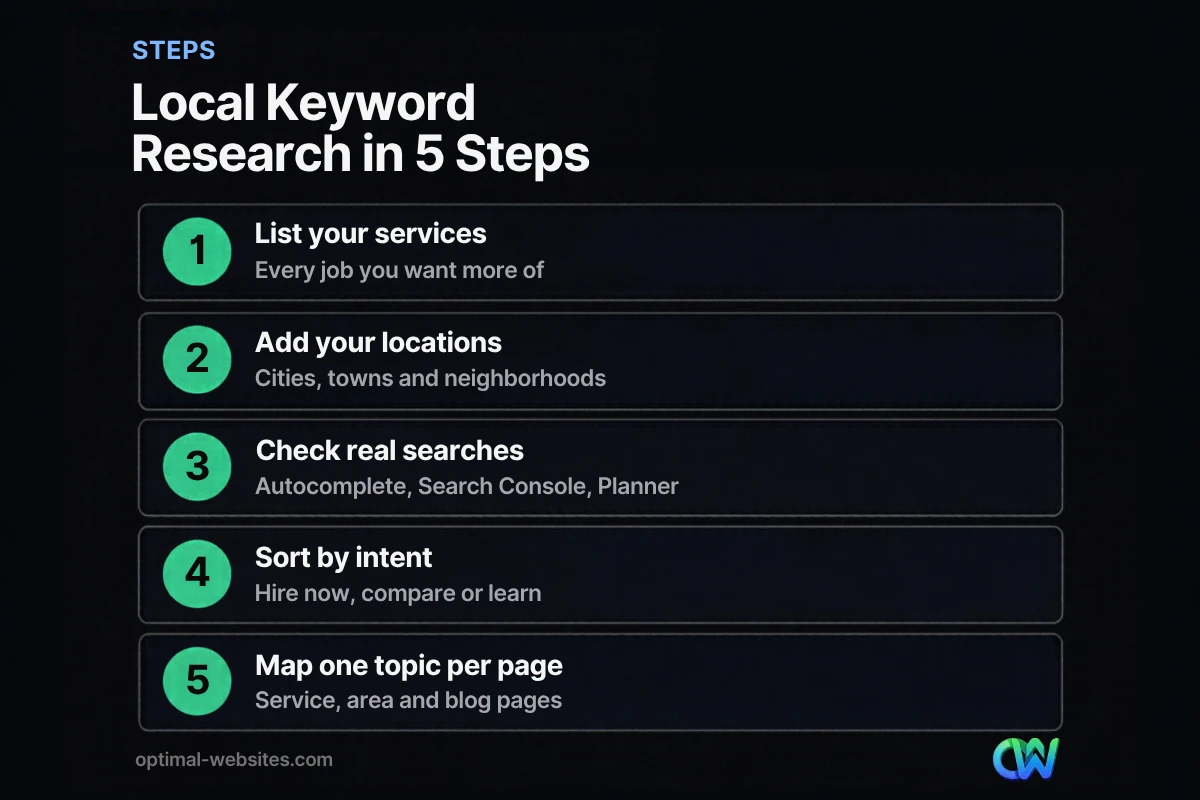
You find local keywords by starting from your own services and locations, then checking that real people search those phrases. Here is the process we use when planning site structure for new clients.
- List every service you want more of. Write down each job type, including the ones you sell most and the ones with the best margins. A roofing company might list roof replacement, roof repair, storm damage, gutters and commercial flat roofs.
- Add every location you serve. Include your main city, nearby towns, counties and well-known neighborhoods. Customers often search by town name rather than county.
- Check what people actually type. Use the free tools in the next section to confirm demand and discover new wording.
- Sort each phrase by search intent. Decide whether the person wants to hire now, compare options or learn something.
- Map one primary phrase to one page. Assign each important phrase to a service page, a service area page or a blog post, and avoid having two pages compete for the same phrase.
Brainstorm like a customer, not an insider
Before you open any tool, write down how a stressed customer would describe the problem. People search symptoms (“AC blowing warm air”), urgent needs (“24 hour locksmith”), prices (“how much does a crown cost”) and comparisons (“Invisalign vs braces”). These phrases rarely show up in a company’s own brochure, yet they bring in some of the most motivated visitors.
Include near me and city modifiers
“Near me” searches tell Google to use the searcher’s location. You do not need to stuff “near me” into your copy. What you do need is a clear address or service area, consistent business details and pages that mention the towns you actually serve.
What are the best free keyword tools for small businesses?
The best free keyword tools for a small business are Google autocomplete, Google Search Console and Google Ads Keyword Planner. Together they show what people type, what you already rank for and roughly how often a phrase is searched.
| Tool | What it shows | Best use for a local business |
|---|---|---|
| Google autocomplete | Real phrases people type, as suggestions | Finding natural wording and town modifiers |
| “People also ask” and related searches | Follow-up questions | Blog post and FAQ ideas |
| Google Search Console | Queries that already trigger your pages | Finding phrases you almost rank for |
| Google Ads Keyword Planner | Estimated monthly searches and bid ranges | Comparing demand between similar phrases |
| Google Business Profile performance | Searches that showed your profile | Seeing how locals describe your business |
Google autocomplete and People Also Ask
Type the start of a service plus your town into Google and note every suggestion. Then scroll to “People also ask” and the related searches at the bottom. Do this in a private browser window so your own history does not skew the results.
Google Search Console
If your site is already live, Google Search Console is the most valuable source you have. Its Performance report lists the queries that already show your pages, along with impressions, clicks and average position. Phrases with many impressions but a low position are often quick wins: improve the matching page and you may move up.
Google Ads Keyword Planner
Google Ads Keyword Planner suggests related keywords and estimates how many searches a keyword gets each month. You need a Google Ads account with setup completed to use it, but you do not have to run a campaign to research keywords. For small towns the numbers are often very low or shown as broad ranges, so treat them as a way to compare phrases, not as exact forecasts.
How do you choose keywords by search intent?
You choose keywords by asking what the searcher wants to happen next. Search intent is the goal behind a query, and matching it is what turns a ranking into a phone call.
| Intent | Example query | Best page type |
|---|---|---|
| Hire now (transactional) | “emergency roof repair Dover DE” | Service page with phone and quote form |
| Compare (commercial) | “best family dentist in Newark” | Service page with reviews and proof |
| Learn (informational) | “how long does a roof replacement take” | Blog post that links to the service page |
| Find (navigational) | “[your business name] hours” | Contact page and Google Business Profile |
A useful rule: prioritize high intent first. A phrase like “water heater repair Middletown” may have only a few dozen searches a month, but almost every one of those people needs help today. A broad phrase like “water heater” gets far more searches, yet most of those people are not ready to hire, and many are outside your area.
Watch for mixed intent
Look at what already ranks for a phrase before you target it. If the top results are all blog posts, Google has decided people want information, and a sales page will struggle. If the top results are service pages and map listings, a service page is the right fit.
How do you turn keywords into pages that rank?
You turn keywords into rankings by giving each important phrase a dedicated, useful page and putting the phrase where it counts. Keywords alone do not rank pages. Helpful pages that clearly match a query do.
Here is a simple keyword map for a fictional HVAC company:
| Page | Primary keyword | Supporting phrases |
|---|---|---|
| AC Repair | ac repair Wilmington DE | ac not cooling, emergency ac repair |
| Furnace Installation | furnace installation Wilmington | new furnace cost, gas furnace replacement |
| Newark Service Area | hvac company Newark DE | heating and cooling Newark |
| Blog | how often should you service your ac | ac maintenance checklist |
Once the map is ready, use the primary phrase in the page title, the H1, the first paragraph and at least one subheading, then write naturally. Google’s guide warns that repeating the same words over and over is tiring for users, and keyword stuffing is against its spam policies. Our on-page SEO checklist covers the full list of places to optimize.
What we see when building local service sites
When we plan WordPress sites for contractors, law firms and other local businesses, the most common problem is one “Services” page that lists ten services in bullets. That page cannot rank for ten different searches. Splitting it into separate service pages, each built in Elementor Pro from the same mobile-first template, is usually the single biggest structural improvement we make. If you serve several towns, our guide to local SEO for small business explains how location pages fit in.
What keyword research mistakes should local businesses avoid?
The biggest mistakes are chasing volume, ignoring intent and targeting the same phrase on several pages. Here are the ones we see most:
- Chasing national phrases. Ranking for “how to fix a leaky faucet” brings visitors from everywhere, and almost none of them can hire you.
- Using internal jargon. If customers do not use a term, do not build a page around it.
- Keyword cannibalization. Two pages targeting “roof repair Dover” compete with each other. Pick one and link the other to it.
- Fake location pages. Pages for towns you do not serve, with only the city name swapped, add little value and can hurt trust.
- Researching once and never again. Search habits change. Check Search Console queries every quarter.
If you want the bigger picture of how keywords fit with your Google Business Profile, reviews and site speed, start with our overview of SEO for small business.
How Optimal Websites Can Help
Optimal Websites, a WordPress web design agency based in Delaware, builds local business websites with keyword research baked into the site structure from day one. We plan service pages and service area pages around the phrases your customers actually use, then build them mobile-first in Elementor Pro so they load fast and are easy for you to update.
If your current site has one catch-all services page or is not showing up for the searches that matter, our SEO services can help you research, map and optimize the right pages. You can see our pricing for new builds, which start at $999 and usually launch in 2–4 weeks.
Frequently Asked Questions
How do I do keyword research for a local business for free?
Start with Google autocomplete, the “People also ask” box and related searches for each service plus your town. Then check the Queries tab in Google Search Console if your site is live. Keyword Planner adds rough monthly search estimates once your Google Ads account is set up. Those three free tools are enough keyword research for local business needs in most small markets.
What are local keywords?
Local keywords are search phrases that include a place or an implied place, such as “plumber in Smyrna DE,” “Wilmington family lawyer” or “urgent care near me.” They signal that the searcher wants a nearby provider. Local businesses should combine their service keywords with the towns, cities and neighborhoods they actually serve.
Should I put “near me” in my website content?
Usually not. Google already uses the searcher’s location for “near me” queries, so the phrase itself adds little. Focus instead on stating your address or service area clearly, keeping your business name, address and phone consistent, and naming the specific towns you serve on relevant pages.
How many keywords should each page target?
Give each page one primary keyword and a handful of closely related supporting phrases. For example, an AC repair page can target “ac repair Wilmington” and naturally include “ac not cooling” and “emergency ac repair.” If two phrases need different content, such as installation and repair, they deserve separate pages.
What is search intent and why does it matter?
Search intent is the reason behind a search: to hire, compare, learn or find a specific business. It matters because Google ranks the type of page that best fits that goal. A blog post rarely ranks for “emergency plumber now,” and a sales page rarely ranks for “why is my water heater making noise.”
How often should I update my local keyword research?
Review it every three to six months, and whenever you add a service or a service area. Check Google Search Console for new queries that show your pages, look for phrases with rising impressions, and update or create pages to match. Seasonal businesses should check before each busy season.
Ready to Get Started?
Want a website built around the searches your customers already make? Request a free quote or call us at (302) 554-9497 to talk through your services and service area.


