
Last updated: October 15, 2026
Quick answer: The must-have WordPress plugins cover seven needs: SEO, caching, security, backups, forms, image optimization and analytics. Pick one well-maintained plugin per need, such as Yoast SEO or Rank Math, Wordfence, UpdraftPlus and Site Kit by Google, and skip anything your host or theme already handles to avoid plugin bloat.
Search “WordPress plugins” and you will find tens of thousands of options, plus endless lists that recommend 30 of them at once. That is how business sites end up slow, fragile and hard to update. Every plugin you add is code that can conflict, break during an update or open a security hole, and a slow or hacked site costs you leads. This guide sorts the must-have WordPress plugins by the job they do, names proven options with install and update data verified on WordPress.org in October 2026, and shows you how to keep your plugin list short enough to stay fast and secure.
Key Takeaways
- Plan plugins by need, not by popularity: SEO, caching, security, backups, forms, images and analytics cover almost every business site.
- Install one plugin per job. Two SEO plugins or two caching plugins usually cause conflicts, not extra gains.
- Check each plugin’s WordPress.org listing for active installs, last updated date and tested WordPress version before you install it.
- Your host, theme or page builder may already handle caching, backups, forms or security, so you may need fewer plugins than you think.
- Delete plugins you do not use. WordPress’s own hardening guide recommends exactly that.
What makes a WordPress plugin “must-have” for a business site?
A must-have WordPress plugin is one that solves a core business need your hosting, theme and WordPress itself do not already cover, and that is actively maintained. If a plugin fails either test, it is a nice-to-have at best.
Before you install anything, open its page in the official WordPress.org plugin directory and check four things:
- Last updated. Recent updates mean someone is maintaining it.
- Active installations. A large install base means problems get reported and fixed.
- Tested up to. It should match or be close to the current WordPress release.
- Support forum. Recent threads should get answers.
WordPress’s own WordPress hardening guide also advises getting plugins only from the WordPress.org repository or well-known companies. That rules out pirated “nulled” copies of premium plugins.
All install counts and update dates below come from each plugin’s WordPress.org listing as checked on October 15, 2026. WordPress.org rounds install counts into ranges, so “5+ million” means at least five million active sites.
Which SEO plugin should you use?
Use one SEO plugin, either Yoast SEO or Rank Math SEO, plus a redirect manager if you change URLs. An SEO plugin handles your title tags, meta descriptions, XML sitemap and basic schema so search engines can read your pages properly.
Yoast SEO
Yoast SEO is one of the most widely installed plugins on WordPress.org, with 10+ million active installations and an update on October 13, 2026. Its page-by-page guidance suits owners who edit their own content.
Rank Math SEO
Rank Math SEO has 4+ million active installations and was last updated October 6, 2026. Its listing describes a built-in redirection manager and 404 monitor alongside schema markup tools, so it can replace a separate redirect plugin on smaller sites.
Redirection
Redirection has 2+ million active installations (last updated September 19, 2026). It manages 301 redirects and tracks 404 errors. When a page moves, a permanent redirect tells search engines where it went (see Google’s guidance on 301 redirects). If your SEO plugin already handles redirects, skip this one.
An SEO plugin is a tool, not a strategy. For the bigger picture, read our guide to SEO basics for small businesses.
Do you need a caching plugin?
Usually yes, unless your host already provides server-level caching. Caching is the process of saving a ready-made copy of each page so WordPress does not rebuild it from the database on every visit, which makes pages load much faster.
Speed matters because Google measures real-world experience through Core Web Vitals. The Core Web Vitals thresholds on web.dev call for a Largest Contentful Paint (LCP) within 2.5 seconds, an Interaction to Next Paint (INP) of 200 milliseconds or less, and a Cumulative Layout Shift (CLS) of 0.1 or less.
LiteSpeed Cache
LiteSpeed Cache has 7+ million active installations and was last updated September 1, 2026. Its listing notes that the full page-caching features require a LiteSpeed web server, LiteSpeed-powered hosting or the QUIC.cloud CDN. If your host runs LiteSpeed, this is usually the strongest free choice.
WP Super Cache
WP Super Cache has 1+ million active installations and was last updated September 30, 2026. It generates static HTML files from your dynamic pages and serves those instead, which works on most standard hosts.
Many managed WordPress hosts include their own caching and ask you not to add a second layer. Check with your host first, and see our guide on choosing the best web hosting for a small business if your current plan has no caching at all. For more speed fixes beyond caching, see these practical ways to improve website speed.
What is the best WordPress security plugin?
Wordfence is the most installed dedicated security plugin, and Kadence Security is a lighter alternative. A security plugin adds a firewall, scans for malware and protects your login page from brute-force attacks.
Wordfence Security
Wordfence has 5+ million active installations and was last updated September 30, 2026. Its listing describes an endpoint firewall, malware scanner, login security features including two-factor authentication, and live traffic views.
Kadence Security (formerly iThemes Security)
Kadence Security has 700,000+ active installations and was last updated October 14, 2026. The listing notes it was formerly iThemes Security, and its changelog also references the Solid Security name, so you may know it by either. It focuses on login security, two-factor authentication, a vulnerability scanner and a firewall.
A plugin is only one layer; strong passwords and two-factor login matter just as much. The WordPress hardening guide puts it plainly: keep plugins updated, and if you are not using a plugin, delete it.
How should you back up a WordPress site?
Run automatic backups on a schedule and store them somewhere other than your web server. A backup plugin copies your files and database so you can restore the site after a bad update, a hack or a hosting failure.
UpdraftPlus
UpdraftPlus has 4+ million active installations and was updated October 15, 2026. Its listing says it can back up to Dropbox, Google Drive, Amazon S3 (or compatible), Rackspace Cloud, FTP, DreamObjects, OpenStack Swift or email, with scheduled or manual backups.
Host backups help, but a copy on the same server will not save you if the account itself has a problem. Keep one off-site copy and test a restore now and then.
Which form plugin should a business site use?
Use one form builder that matches your skill level, and pair it with spam protection. Your contact or quote form is often the single most important conversion point on the site.
WPForms
WPForms has 5+ million active installations and was last updated October 6, 2026. Its drag-and-drop builder suits owners who want to build and edit forms without code.
Contact Form 7
Contact Form 7 has 10+ million active installations and was last updated October 11, 2026. It is free and open source. Forms are edited as tagged text rather than drag-and-drop, so it fits users who are comfortable with a little markup.
Akismet Anti-spam
Akismet Anti-spam has 5+ million active installations and was last updated August 18, 2026. It blocks spam in comments and contact forms.
On our Elementor Pro builds, we often use the page builder’s own form widget for quote and contact forms, which means one less plugin to maintain. If your site uses Elementor Pro, check whether you need a separate form plugin at all.
How do you optimize images in WordPress?
Use an image optimization plugin that compresses uploads automatically and converts them to modern formats like WebP. Large, uncompressed photos are a frequent cause of slow pages we find on business sites, especially on phones.
EWWW Image Optimizer
EWWW Image Optimizer has 1+ million active installations and was last updated October 13, 2026. Its listing highlights WebP and AVIF conversion, lazy loading and optimization of images from any plugin.
Use only one optimizer. Two waste server resources, and LiteSpeed Cache already includes image optimization.
How do you add analytics to WordPress?
The simplest option is Site Kit by Google, which connects Google’s own tools to your dashboard. Analytics shows you where visitors come from and what they do, so you can see which pages actually bring in leads.
Site Kit by Google
Site Kit has 5+ million active installations and was last updated October 5, 2026. It connects Google Analytics, Google Search Console, AdSense, PageSpeed Insights and Tag Manager, with stats shown inside WordPress.
Must-have WordPress plugins at a glance
This table summarizes one or two proven options for each need. Data comes from each plugin’s WordPress.org listing, checked October 15, 2026.
| Need | Plugin | Active installs | Last updated | Skip it if |
|---|---|---|---|---|
| SEO | Yoast SEO | 10+ million | Oct 13, 2026 | You already use Rank Math |
| SEO | Rank Math SEO | 4+ million | Oct 6, 2026 | You already use Yoast |
| Redirects | Redirection | 2+ million | Sep 19, 2026 | Your SEO plugin handles redirects |
| Caching | LiteSpeed Cache | 7+ million | Sep 1, 2026 | Your host is not on LiteSpeed |
| Caching | WP Super Cache | 1+ million | Sep 30, 2026 | Your host provides server caching |
| Security | Wordfence Security | 5+ million | Sep 30, 2026 | Your host includes a managed firewall |
| Security | Kadence Security | 700,000+ | Oct 14, 2026 | You already run Wordfence |
| Backups | UpdraftPlus | 4+ million | Oct 15, 2026 | Your host keeps off-site backups |
| Forms | WPForms | 5+ million | Oct 6, 2026 | Your page builder has forms |
| Forms | Contact Form 7 | 10+ million | Oct 11, 2026 | You want drag-and-drop editing |
| Spam | Akismet Anti-spam | 5+ million | Aug 18, 2026 | Your forms have built-in spam filters |
| Images | EWWW Image Optimizer | 1+ million | Oct 13, 2026 | Your cache plugin optimizes images |
| Analytics | Site Kit by Google | 5+ million | Oct 5, 2026 | You manage tags elsewhere |
How many plugins is too many?
There is no magic number. The real limit is how many plugins you can keep updated, tested and justified. A few lean, maintained plugins beat a pile of bloated, abandoned ones.
Plugin bloat is what happens when a site collects plugins that overlap, sit unused or load heavy scripts on every page. The result is slower pages, more conflicts and a bigger attack surface.
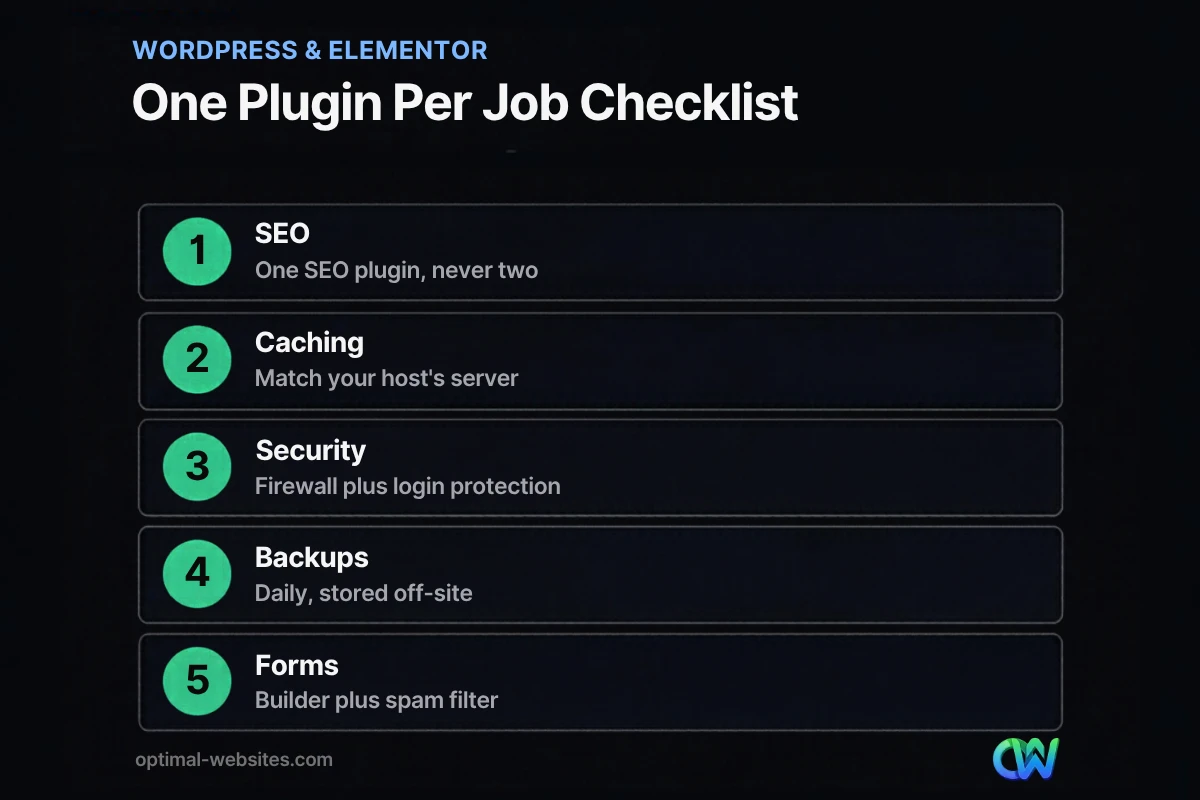
Use this quick audit checklist every few months:
- [ ] Every active plugin does a job nothing else on the site already does.
- [ ] No two plugins cover the same need (two SEO, caching or image plugins).
- [ ] Each plugin was updated recently and is tested with your WordPress version.
- [ ] Deactivated plugins are deleted, not just switched off.
- [ ] You tested the site after the last round of updates, ideally on a staging copy first.
- [ ] You know which plugin powers each critical feature, such as your quote form.
When we rebuild sites for contractors, law firms and local service businesses, older sites often carry plugins added years ago for features nobody uses. Removing them, and letting Elementor Pro handle layout and forms, makes the site easier to manage. Our website speed optimization service starts with exactly this kind of audit.
How Optimal Websites Can Help
Optimal Websites, a WordPress web design agency based in Delaware, builds fast, mobile-first WordPress sites with Elementor Pro and a deliberately short plugin list. We set up SEO, caching, security, backups, forms, image optimization and analytics as part of every build, and we choose tools that fit your hosting instead of stacking extras on top.
If you want to understand the platform better first, here is why WordPress works so well for businesses. When you are ready for a site that is set up right from day one, explore our WordPress web design and development service or see our website packages and pricing. Packages start at $999, most projects launch in 2–4 weeks, and every client gets video training to edit their own site.
Frequently Asked Questions
What are the must-have WordPress plugins for a new business website?
The must-have WordPress plugins for a new business site cover SEO, caching, security, backups, forms, image optimization and analytics. A typical lean setup is one SEO plugin like Yoast SEO or Rank Math, a caching plugin that matches your host, Wordfence, UpdraftPlus, one form builder, one image optimizer and Site Kit by Google. Skip any category your host or theme already handles.
How many plugins should a WordPress site have?
There is no fixed limit. What matters is that each plugin does a unique job, is actively maintained and gets updated promptly. A site with few plugins can still be slow if those plugins are heavy or poorly coded, while a longer list of lean, focused plugins can run well. Audit your list every few months and delete anything you no longer use.
Can too many plugins slow down WordPress?
Yes, but quality matters more than quantity. Plugins that load scripts and styles on every page, run heavy database queries or duplicate other plugins slow a site down. One bloated plugin can hurt speed more than several lightweight ones. Test your pages in PageSpeed Insights before and after adding a plugin to see its real impact on Core Web Vitals.
Is Yoast SEO or Rank Math better?
Both are solid, well-maintained choices, so pick the one whose interface you prefer and never run both. Yoast SEO has the larger install base, with 10+ million active sites on WordPress.org, and is known for clear content guidance. Rank Math SEO, with 4+ million, includes a redirection manager and 404 monitor, so it can replace a separate redirect plugin.
Are free WordPress plugins safe to use?
Free plugins from the official WordPress.org directory are generally safe when they are actively maintained and widely used. Check the last updated date, the tested WordPress version and the support forum before installing. Avoid “nulled” copies of premium plugins from unofficial sites, since WordPress’s own hardening guide warns against getting plugins from untrusted sources.
Do I need a security plugin if my host has security?
Not always. Some managed WordPress hosts include a firewall, malware scanning and backups, and may even restrict certain security plugins. Ask your host exactly what they cover. If they do not provide a firewall or login protection, a plugin like Wordfence or Kadence Security fills the gap. Either way, strong passwords, two-factor login and prompt updates remain essential.
Ready to Get Started?
Want a WordPress site with the right plugins and none of the bloat? Request your free quote or call us at (302) 554-9497 to talk through your project.


