
Quick answer: Website migration SEO is the work that keeps your Google rankings when you change your domain, host, platform or URL structure. The core steps are simple: benchmark your current traffic, map every old URL to one new URL, set up permanent server-side 301 redirects, keep them for at least a year, and monitor Search Console closely after launch.
Moving a website is one of the few projects that can erase years of search visibility in a weekend. A new domain, a switch from Wix or Squarespace to WordPress, or a move to better hosting can all go smoothly, or they can leave customers landing on error pages while your phone goes quiet. Good website migration SEO is mostly planning: knowing what is changing, telling Google where every page went, and watching the results. This guide explains the different types of migrations, how each one affects SEO, the steps Google recommends, and what to expect in the weeks after the move.
Key Takeaways
- Not every migration carries the same risk: a hosting move with no URL changes is low risk, while a domain plus platform change is the riskiest.
- Map every old URL to its single best new URL and use permanent server-side 301 redirects, never a blanket redirect to the homepage.
- Google says to keep redirects for as long as possible, generally at least one year.
- Use the Search Console Change of Address tool only when you change domains.
- Rankings can fluctuate after a move; Google says a medium-sized site can take a few weeks or more to settle.
What Is Website Migration SEO?
Website migration SEO is the process of protecting search rankings and traffic when a site’s location, platform or structure changes. It covers the planning before the move, the redirects and technical settings at launch, and the monitoring afterward.
A migration is any change that alters how search engines find or understand your pages. That includes changing your domain name, moving from HTTP to HTTPS, switching hosting providers, rebuilding the site on a new platform, or reorganizing your URLs. A visual redesign that keeps every URL and all the content in place is usually not a migration in the SEO sense, which is why our website redesign checklist treats redesigns as their own project.
The goal is continuity. Google has already learned which of your pages answer which searches. A migration done well hands that knowledge over to the new URLs. A migration done badly forces Google to rediscover your site from scratch.
What Types of Website Migrations Affect SEO?
The more that changes at once, the higher the risk. Google splits site moves into two groups: moves where URLs stay the same, such as a new host, and moves where URLs change, such as a new domain or platform.
| Migration type | What changes | SEO risk | Main safeguard |
|---|---|---|---|
| Hosting move | Server only, URLs stay the same | Low | Lower DNS TTL, test the new server |
| HTTP to HTTPS | Protocol in every URL | Low to medium | Sitewide 301s, update internal links |
| URL restructure | Paths and slugs | Medium | Complete redirect map |
| Platform change | CMS, templates, often URLs | Medium to high | Redirect map, content parity |
| Domain change | Every URL | High | Redirects plus Change of Address tool |
| Domain plus platform | Everything | Highest | Full plan, staging, close monitoring |
Moves without URL changes
When you only change hosting, the URLs your visitors and Google know stay the same. Google’s guide to moving a site without URL changes recommends lowering your DNS TTL to a low value, such as a few hours, at least a week before the move so the switch spreads faster. It also notes that a temporary dip in crawling right after the move is normal and usually recovers within days.
Moves with URL changes
When URLs change, every old address needs a new home. This is where most lost rankings come from. A platform change is a common example: Wix, Squarespace and WordPress all format URLs differently, so even a page with the same content often ends up at a new address. If you are planning that specific move, our guide to moving from Wix to WordPress covers the platform details.
How Do You Migrate a Website Without Losing SEO?
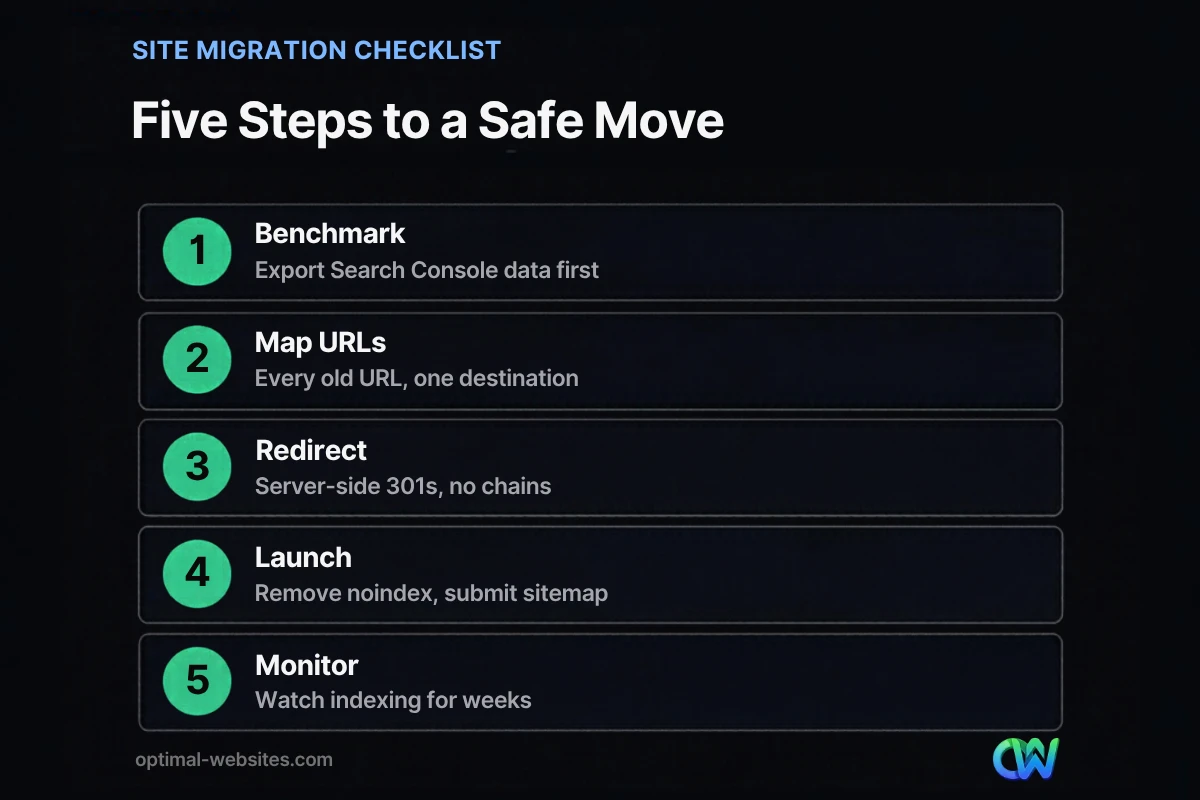
You migrate without losing SEO by treating the move as a project with clear phases: record where you stand, map every URL, redirect correctly, launch carefully and monitor. Google’s guide to moving a site with URL changes follows the same order.
1. Benchmark before you touch anything
Export the last 12 months from Google Search Console: top pages, top queries, clicks and impressions. Pull the same pages from Google Analytics with leads or form submissions attached. This baseline tells you which pages matter most and gives you something to compare against after launch. If you have not set up Search Console yet, our Google Search Console guide for small businesses walks through it.
2. Build a complete URL inventory
List every URL on the current site. Google suggests starting with your most important pages and pulling URLs from sitemaps, server logs, analytics and the links data in Search Console. Include PDFs and images that get traffic, not just pages. Crawlers miss orphan pages, so combine several sources.
3. Map each old URL to one new URL
The redirect map is a simple spreadsheet with two columns: old URL and new URL. Each old page should point to the single most relevant new page. Google warns against redirecting many old URLs to one unrelated page, such as the homepage. If you merge two old service pages into one, both can point to the merged page. Content you are truly removing can return a 404 or 410.
4. Keep content and on-page SEO in place
Content parity matters. If an old page ranked for “commercial roofing repair,” the new page needs the same depth, not a shorter rewrite. Carry over title tags, meta descriptions, headings, image alt text and structured data. Add self-referencing canonical tags on the new pages and update internal links so they point straight to new URLs.
5. Test on a staging site
Build the new site on a staging copy and keep it out of Google while you work. In WordPress, that usually means the “Discourage search engines” setting or a noindex rule. Test forms, phone links, menus and a sample of redirects before launch.
How Do 301 Redirects Work in a Site Migration?
A 301 redirect is a permanent, server-side instruction that sends visitors and search engines from an old URL to a new one. It tells Google the page has moved for good, so Google can show the new URL in search results.
Google’s redirect documentation recommends a permanent server-side redirect whenever possible. It treats 301 and 308 status codes as permanent moves, while 302 and 307 are temporary. JavaScript redirects are a last resort because Google may not always render them.
Redirect rules that prevent ranking losses
- Redirect page to page. Old service page to new service page, old blog post to the same post at its new address.
- Avoid redirect chains. Point each old URL directly at its final destination. Google suggests keeping any unavoidable chain short, ideally three hops or fewer.
- Keep redirects for at least a year. Google says to keep them for as long as possible, generally at least one year, and from a visitor’s point of view, possibly forever.
- Keep the old domain. Redirects only work while the old domain is registered and pointed at a server, so do not let it expire.
- Update what you control. Fix internal links, your Google Business Profile website link, social profiles, directory listings and ad destinations so fewer visits depend on redirects.
On WordPress, redirects can be managed at the server level or with an SEO plugin. Rank Math, which we use on many builds, includes redirection and 404 monitor modules, which make it easier to manage the redirect map and catch missed URLs after launch.
When Should You Use Google’s Change of Address Tool?
Use the Change of Address tool only when you move to a new domain or subdomain, for example from oldname.com to newname.com. It does not apply to HTTP to HTTPS moves, www to non-www changes or path changes on the same domain.
According to Google’s help page for the Change of Address tool, you must be a verified owner of both the old and new properties in Search Console, and the old homepage must already redirect to the new homepage. Google says the migration signals continue for 180 days after you start the move. Submit it for every verified variant of the old domain, including www and non-www versions.
What Belongs on a Site Migration Checklist for Launch Day?
Launch day is about removing the blocks you used during development and confirming that Google can reach the new site. Work through this list in order.
- Remove staging blocks. Clear the noindex setting and any robots.txt rule that blocks crawling.
- Switch on redirects. Activate the full redirect map at the same time the new site goes live.
- Spot-check redirects. Test your top 20 to 50 old URLs and confirm each returns a single 301 to the right page.
- Verify Search Console. Make sure both old and new properties are verified, including every protocol and www variant.
- Submit the new sitemap. Google recommends submitting the sitemap of new URLs once redirects are live.
- Inspect key pages. Run your homepage and top service pages through the URL Inspection tool.
- Test conversions. Submit every form and tap every click-to-call link on a phone.
How Long Does It Take to Recover Rankings After a Website Migration?
Most sites see some movement, and a well-planned move usually settles within weeks rather than months. Google says a medium-sized site can take a few weeks or more for most pages to move in its index, and larger sites take longer.
During that window, rankings may go up and down. Google describes this fluctuation as normal while it recrawls the old and new URLs. Googlebot has to visit each old URL to see its redirect, so pages Google rarely crawls take longer to update.
What to watch in the first weeks
- Page indexing report: indexed pages on the old property should fall while the new property rises.
- Performance report: compare clicks and impressions for your top pages against the benchmark you exported.
- 404 errors: check Search Console and your redirect plugin logs, and add redirects for any old URLs you missed.
- Leads: traffic numbers matter less than calls and form submissions, so track those week by week.
A drop that keeps getting worse after several weeks is not normal fluctuation. It usually points to missing redirects, removed content or a page still blocked from indexing.
How Optimal Websites Handles Migrations
Most of our projects at Optimal Websites, a WordPress web design agency based in Delaware, involve some kind of move: a business leaving an older builder for WordPress and Elementor Pro, a firm consolidating domains, or a contractor whose old site lives on slow hosting. For service businesses like roofing companies, construction firms and law practices, a handful of service and location pages often bring in most of the leads, so those pages get the closest attention in the redirect map.
We build the new site on staging, keep page content and on-page SEO in place, prepare the redirect map before launch, and check Search Console after the switch. For the bigger picture, see our SEO basics for small businesses.
How Optimal Websites Can Help
If you are planning a new domain, a platform change or a full rebuild, we can plan the migration with you so your rankings and leads make the move too. Our SEO services cover redirect mapping, on-page SEO and post-launch monitoring, and new builds come with fixed prices you can review on our website packages and pricing page. Most projects launch in 2–4 weeks.
Frequently Asked Questions
Will migrating my website hurt my SEO?
A migration does not have to hurt your SEO, but a poorly planned one often does. Short-term ranking movement is normal while Google recrawls your pages. With a complete redirect map, permanent 301 redirects, the same content on the new pages and close monitoring in Search Console, most sites keep their rankings. Strong website migration SEO is mostly preparation done before launch day.
How long should I keep 301 redirects after a migration?
Keep 301 redirects for as long as possible, and for at least one year. Google’s site move guidance gives that one-year minimum and notes that keeping them longer helps visitors who still use old links or bookmarks. Removing redirects early sends people and search engines to error pages, so the safest approach for most small businesses is to leave them in place indefinitely.
What should a site migration checklist include?
A site migration checklist should include a traffic benchmark, a full URL inventory, a redirect map, content and metadata checks, staging tests, launch-day steps and post-launch monitoring. Launch-day items include removing noindex, activating redirects, verifying Search Console and submitting the new sitemap. After launch, track indexing, 404 errors, rankings and leads for several weeks.
Can I change my website platform without losing SEO?
Yes, you can change website platform without losing SEO if you plan the move carefully. Platforms format URLs differently, so map every old URL to its new address and set up 301 redirects. Keep content, title tags and headings consistent, rebuild internal links, and test the new site on staging before launch. Then monitor Search Console for errors for several weeks.
Do I need the Change of Address tool when I switch hosting?
No. The Change of Address tool is only for moves to a new domain or subdomain. When you switch hosting and your URLs stay the same, Google sees the same addresses and simply crawls the new server. Lower your DNS TTL ahead of the move, test the new host, and watch Search Console and server logs while the change spreads.
Can I redesign my website without losing SEO?
Yes. You can redesign without losing SEO by keeping URLs the same wherever possible, preserving the content that ranks, and redirecting any URLs that do change. A redesign that keeps every URL is much lower risk than a full migration. Before launch, compare key pages against their old versions so headings, copy and internal links are not lost in the new layout.
Ready to Get Started?
Planning a move to a new domain, host or platform? Talk to us before you launch. Request a free quote or call (302) 554-9497, and we will help you plan a migration that keeps your rankings and your leads.


