
Last updated: October 15, 2026
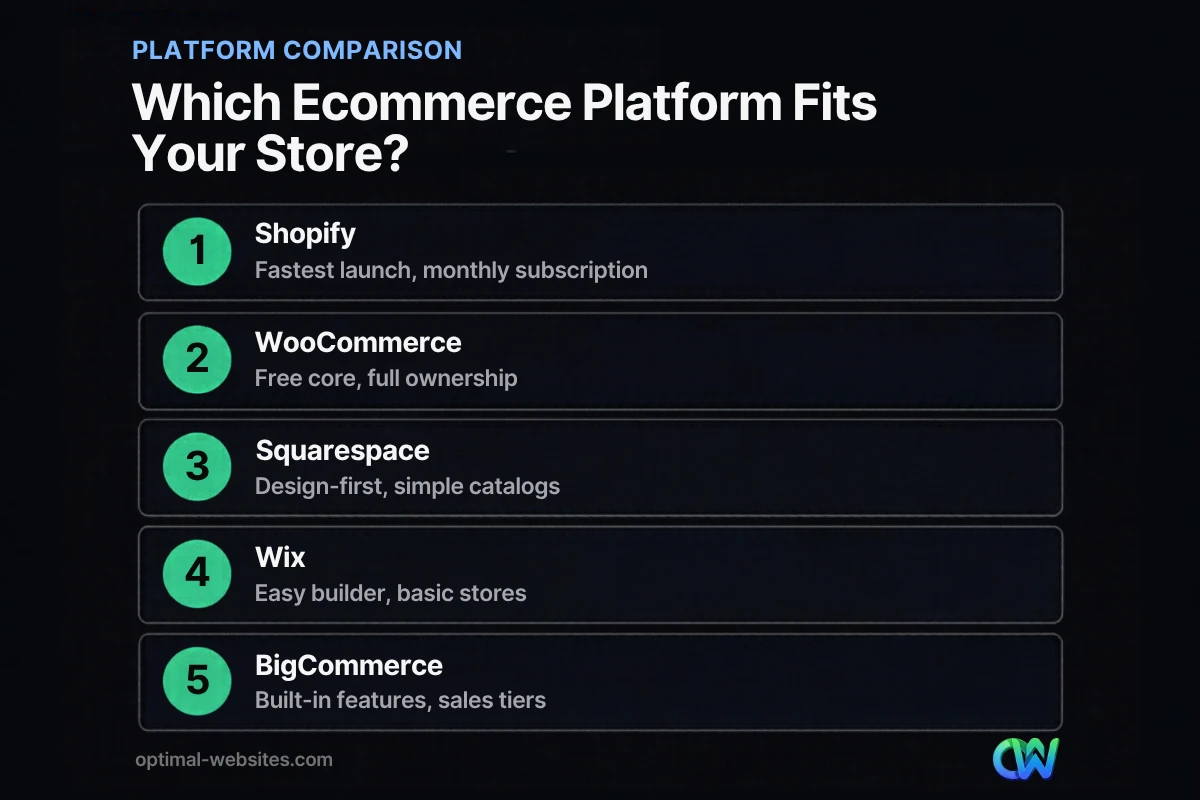
Quick answer: The best ecommerce platform for small business depends on how much control you want. Shopify is the fastest way to launch with little upkeep. WordPress + WooCommerce gives you full ownership and flexibility. Squarespace and Wix suit small, simple catalogs. BigCommerce fits growing stores that want more built-in features.
Picking the best ecommerce platform for small business owners is not a technology decision. It is a revenue decision. The platform you choose controls your monthly costs, your transaction fees, how fast your pages load, how easily customers check out, and how hard it will be to move later if you outgrow it. Choose wrong and you pay for it in fees, lost sales, or a painful migration.
This guide gives you a neutral ecommerce platform comparison of the five options we hear about most: Shopify, WooCommerce, Squarespace, Wix, and BigCommerce. You get current pricing (as of October 2026), a side-by-side table, an honest look at when we recommend WordPress + WooCommerce, and a checklist to make the call.
Key Takeaways
- There is no single best platform. Match the platform to your catalog size, budget, technical comfort, and growth plans.
- Shopify, Squarespace, Wix, and BigCommerce are hosted subscriptions: simpler to run, but you rent the platform.
- WooCommerce is free software, but you pay for hosting, extensions, and someone to maintain it.
- Compare total cost, not sticker price. Transaction fees, apps, and themes often cost more than the plan itself.
- Checkout experience and page speed matter as much as features, because they decide whether visitors actually buy.
What Is the Best Ecommerce Platform for Small Business in 2026?
For most small businesses, the best choice is either Shopify (if you want speed and simplicity) or WordPress + WooCommerce (if you want ownership and flexibility). Squarespace, Wix, and BigCommerce are strong picks in narrower situations.
An ecommerce platform is the software that runs your online store: product pages, cart, checkout, payments, taxes, shipping rules, and order management. Platforms fall into two camps.
Hosted (SaaS) platforms like Shopify, Squarespace, Wix, and BigCommerce bundle the software, hosting, security, and updates into a monthly fee. You log in and sell. The trade-off is that you work inside their rules, their app store, and their pricing changes.
Self-hosted platforms like WooCommerce run on your own WordPress site and hosting account. You own the code, the data, and the design. The trade-off is that someone has to handle hosting, updates, backups, and security.
How Do the Top Platforms Compare on Price and Features?
The plans below are the entry and mid-level tiers most small businesses start with. All prices are in USD, taken from each platform’s official pricing page as of October 2026. Prices change often, so confirm before you sign up.
| Platform | Starting price for selling online | Next tier | Platform transaction fee | Best for |
|---|---|---|---|---|
| Shopify | Basic: $39/mo monthly, $29/mo billed yearly | Grow: $105/mo monthly, $79/mo yearly | None with Shopify Payments; 2% on Basic if you use a third-party processor | Fast launch, product-focused brands |
| WooCommerce | Free core plugin | Paid extensions as needed | None from WooCommerce; you pay your processor | Owners who want control and a custom site |
| Squarespace | Basic: $25/mo monthly, $19/mo yearly | Core: $39/mo monthly, $29/mo yearly | 2% on Basic; 0% on Core and up | Design-led brands, small catalogs |
| Wix | Core: $29.77/mo (yearly plan, US pricing) | Business: $39.77/mo (yearly plan) | No separate platform fee listed; processor fees apply | Simple stores built by the owner |
| BigCommerce | Core: $39/mo monthly, $29/mo yearly (up to $30K in annual sales) | Growth: $105/mo monthly, $79/mo yearly (up to $100K) | None with embedded providers; 2% on Core with open providers | Growing catalogs that need built-in features |
Card processing fees are separate from plan prices on every platform. Shopify lists online card rates starting at 2.9% + 30¢ on Basic, and BigCommerce lists card processing starting at 2.89% + 29¢. Wix notes its prices vary by location and are for yearly subscriptions paid upfront. BigCommerce ties plans to annual sales, so a store that passes its tier’s limit moves up a plan.
WooCommerce vs Shopify: Which Should a Small Business Choose?
Choose Shopify if you want to launch quickly and never think about servers. Choose WooCommerce if you want to own your store, customize it freely, and avoid a platform taking a cut of every sale.
Where Shopify wins
Shopify is built for selling. Hosting, security, SSL, and updates are handled for you, and the app store covers almost any feature. For a product brand that wants to start selling this month with minimal technical help, Shopify is hard to beat.
The costs add up through apps, though. Many stores pay for several monthly app subscriptions on top of the plan, plus a premium theme. If you use a payment processor other than Shopify Payments, Shopify adds its own fee (2% on Basic, per its pricing page).
Where WooCommerce wins
WooCommerce is free, open-source software that turns a WordPress site into a store. According to the WooCommerce plugin listing on WordPress.org, it has more than 7 million active installations. You own your site and your customer data, and you can move hosts anytime.
WooCommerce shines when your store is part of a bigger website: a contractor selling materials or service packages, a firm selling consultations, or a local business with a blog, location pages, and quote forms alongside products.
The trade-off is responsibility. WooCommerce’s own pricing page estimates hosting at $25 to $350 a month for most stores and extensions at $29 to $299 a year each. Someone also has to keep WordPress, plugins, and the theme updated and backed up.
What About Squarespace, Wix, and BigCommerce?
These three are good fits for specific situations: Squarespace for design-focused small catalogs, Wix for owners who want to build a simple store themselves, and BigCommerce for stores that want more features included without many add-on apps.
Squarespace
Squarespace is known for polished templates and handles payments, inventory, discounts, and shipping well for small catalogs. Watch the Basic plan’s 2% transaction fee; moving to Core removes it. It is less flexible once your store needs complex integrations with accounting, ERP, or wholesale tools.
Wix
Wix offers a drag-and-drop builder with lots of templates, and its Core plan and above include ecommerce. It is a reasonable starting point for a very small store run by the owner. Many of its templates are not built specifically for selling, and stores with large catalogs or complex shipping can feel limited.
BigCommerce
BigCommerce aims to include more features natively, so stores often rely less on paid apps. Its plans are tied to annual sales: Core covers up to $30K, Growth up to $100K, per its pricing page. That makes it predictable, but expect your plan cost to rise as you grow.
Which Factors Matter Most When Choosing a Small Business Online Store Platform?
The factors that matter most are total cost of ownership, checkout experience, speed, flexibility, and how easy it is to leave. Features are rarely the deciding factor, since all five platforms cover the basics.
Total cost, not monthly price
Add up the plan, card processing, any platform transaction fees, apps or extensions, a theme, and design help. A $29 plan with five paid apps can cost more than a WooCommerce store with good hosting.
Checkout friction
Checkout is where sales are won or lost. Baymard Institute’s cart abandonment research puts the documented average cart abandonment rate at 70.22%, based on 50 studies. Among shoppers who abandoned during checkout, 40% cited extra costs like shipping, taxes, and fees, 18% said the site required them to create an account, and 17% said checkout was too long or complicated. Whatever platform you choose, offer guest checkout, show total costs early, and keep the form short.
Speed and mobile experience
Slow stores lose buyers, especially on phones. Google measures real-world experience with Core Web Vitals. The Core Web Vitals thresholds on web.dev define a good experience as LCP of 2.5 seconds or less, INP of 200 milliseconds or less, and CLS of 0.1 or less. On WooCommerce, hosting quality makes a big difference, which is why we cover choosing hosting for a small business site separately.
SEO and content
If organic search is a major sales channel, you need control over URLs, page titles, structured data, and content. WordPress gives you the most control here. Every platform can rank well with the right setup; see our ecommerce SEO tips for the basics.
When Does Optimal Websites Recommend WordPress + WooCommerce?
We recommend WordPress + WooCommerce when the store is one part of a larger business website, when SEO and content drive sales, or when you need custom design and features. We do not recommend it for everyone.
We build on WordPress with Elementor Pro, so we have a bias to admit. Here is how we keep it honest.
WooCommerce is usually the better fit when:
- Your business sells products or services but also needs a full marketing site, blog, location pages, and lead forms. This is common for the contractors, construction firms, and local service businesses we work with.
- You want to own your site and avoid platform transaction fees on every order.
- You need a custom design or checkout flow that templates cannot deliver.
- You already have a WordPress site and want to add a store without rebuilding.
A hosted platform is usually the better fit when:
- You are a product-only brand that wants to launch fast and has no one to manage updates.
- You have a small catalog and want the lowest upkeep possible.
- You prefer one predictable monthly bill over managing hosting and plugins.
If you lean toward WordPress, our guide to building a WordPress ecommerce website walks through what goes into a WooCommerce build. And if you are weighing a theme against custom work, read our comparison of a custom website vs a template.
How Do You Choose? A Decision Checklist
Answer each question and note which platform it points to.
- How many products will you sell in year one? Under 50 simple products: any platform works. Hundreds of products with variants: Shopify, BigCommerce, or WooCommerce.
- Is the store your whole business or part of a bigger website? Store only: Shopify or BigCommerce. Part of a service business site: WooCommerce.
- Who will maintain the site? No one technical: a hosted platform. A developer, agency, or maintenance plan: WooCommerce is an option.
- What is your realistic monthly budget, including apps and fees? Total it up before deciding.
- Which payment processor do you want? Check whether the platform adds a fee for using it.
- How important is organic search? Very important: favor the platform that gives you the most content and SEO control.
- Do you need custom features? Subscriptions, bookings, wholesale pricing, or custom quote forms can push you toward WooCommerce or BigCommerce.
- Could you leave in three years if you needed to? Know what you can export and what stays behind.
If most answers point to one platform, that is your answer. If they split, prioritize total cost and who will maintain the store.
How Optimal Websites Can Help
Optimal Websites, a WordPress web design agency based in Delaware, builds fast, mobile-first online stores on WordPress + WooCommerce with Elementor Pro. If WooCommerce is the right fit, we handle the design, setup, payments, shipping rules, and launch, and we give you video tutorials so you can manage products and orders yourself.
If our honest read is that a hosted platform suits you better, we will tell you. Learn more about our custom WordPress web design or review our website packages and pricing. Most projects launch in 2–4 weeks.
Frequently Asked Questions
What is the cheapest ecommerce platform for a small business?
WooCommerce has the lowest software cost because the core plugin is free, but you still pay for hosting and any paid extensions. Among hosted options as of October 2026, Squarespace Basic starts at $19 a month billed yearly and Shopify Basic at $29 a month billed yearly. Always add card processing and app costs before comparing.
Is WooCommerce or Shopify better for a small business?
In the WooCommerce vs Shopify decision, Shopify is better if you want a fast launch with no maintenance. WooCommerce is better if you want full ownership, no platform transaction fees, and a store that lives inside a larger WordPress website. Both handle small catalogs and growing stores well with the right setup.
Do I need a developer to run a WooCommerce store?
You do not need a developer for daily tasks like adding products, editing prices, or processing orders. You do need someone to handle setup, hosting, updates, backups, and troubleshooting. Many small businesses use an agency for the build and a maintenance plan afterward, then manage products themselves.
Can I switch ecommerce platforms later?
Yes, but it takes work. Products, customers, and orders can usually be exported and imported, while design, apps, and some settings must be rebuilt. You also need 301 redirects so old product URLs keep their search rankings. Choosing the best ecommerce platform for small business needs up front saves you a costly migration.
Which ecommerce platform is best for SEO?
All five platforms can rank well, but WordPress + WooCommerce offers the most control over URLs, content, schema, and site structure. That matters if your store depends on blog content or local search. Hosted platforms cover the SEO basics and are easier to set up, with less room to customize.
Do ecommerce platforms charge transaction fees?
Some do. Squarespace charges 2% on its Basic plan. Shopify and BigCommerce add a fee when you use certain third-party processors. WooCommerce charges no platform fee. Every option still has card processing fees from your payment provider, typically around 2.5% to 2.9% plus about 30 cents per online transaction.
What should a small business online store include?
A small business online store should include clear product pages with photos and prices, guest checkout, upfront shipping and tax costs, multiple payment methods, a visible returns policy, and fast mobile pages. Add reviews, contact details, and secure checkout signals so new customers trust you enough to buy.
Ready to Get Started?
Not sure which platform fits your business? Tell us about your products and goals, and we will give you a straight recommendation. Request your free quote or call us at (302) 554-9497.


