
Last updated: October 15, 2026
Quick answer: The best AI tools for small business handle repetitive, low-risk work: answering common customer questions, drafting emails and blog posts, scheduling, sorting receipts and powering website chat. They save time when a person reviews every output, sensitive data stays out of the tool, and you start with one task before expanding.
Most small business owners do not need an AI strategy deck. They need a few hours back each week and fewer missed leads. The problem is that every software vendor now claims to be “AI-powered,” and it is hard to tell which AI tools for small business are worth paying for and which ones create new risks.
That matters for revenue. A slow reply to a quote request, a blog that never gets written or a mistake in a customer email all cost you jobs. This guide covers where AI genuinely helps, where it goes wrong, how to keep a human in charge and a simple checklist for rolling it out without disrupting your business.
Key Takeaways
- AI works best on repetitive tasks with clear right answers: FAQs, first drafts, scheduling and data entry.
- Generative AI can state false information confidently, so a person should review anything customers will see.
- Keep customer, financial and health information out of AI tools unless you have checked how the vendor stores and uses data.
- Start with one task, run a short pilot, measure the result, then decide whether to expand.
- Be honest about what your AI features do; overstating them in marketing creates legal risk.
What Are AI Tools for Small Business?
AI tools for small business are software products that use artificial intelligence to write, summarize, sort, predict or answer questions so your team spends less time on routine work. Most owners use them in two forms: standalone assistants and AI features built into software they already pay for.
Standalone AI assistants
General chat assistants such as ChatGPT, Claude, Google Gemini and Microsoft Copilot respond to typed instructions, called prompts. You can ask them to draft a service description, rewrite an email in a friendlier tone or summarize a long document.
AI built into your existing software
Many business tools now include AI features. Accounting platforms such as QuickBooks, for example, can suggest categories for bank transactions that you then approve. These are often the easiest place to start, because the AI works inside a system you already trust and understand.
Generative AI is AI that creates new content, such as text or images, from patterns in existing data. The SBA guidance on AI for small businesses defines these terms in plain language and recommends that owners “start small” by testing free or low-cost tools first.
Which Small Business Tasks Can AI Actually Handle?
AI handles tasks that are frequent, repetitive and easy to check: answering the same customer questions, producing first drafts, organizing calendars, sorting financial data and greeting website visitors. It struggles with judgment calls, pricing decisions and anything that requires knowing a specific customer’s history.
Here are the most practical use cases for small teams.
| Use case | What AI does well | What a person must still do | Risk level |
|---|---|---|---|
| Customer service replies | Drafts answers to common questions, suggests replies to reviews | Approve replies, handle complaints and refunds | Medium |
| Content drafts | Outlines blog posts, writes first drafts of emails and social posts | Fact-check, add real expertise, edit for your voice | Medium |
| Scheduling | Suggests meeting times, sends reminders, summarizes meeting notes | Confirm bookings and resolve conflicts | Low |
| Bookkeeping help | Suggests transaction categories, reads receipts, drafts invoice reminders | Approve entries, review with your accountant | Medium to high |
| Website chat | Answers FAQs, collects lead details after hours, routes requests | Follow up quickly, update answers, monitor conversations | Medium |
Customer service
AI can draft replies to common questions such as hours, service areas and what to expect at a first appointment. It can also suggest courteous responses to online reviews. Treat these as drafts. A reply that misstates your warranty or promises a date you cannot meet does more damage than a slow reply.
Content drafts
AI is useful for beating a blank page. Use it to brainstorm blog topics, outline a service page or produce a rough first draft of a newsletter. The finished piece still needs your real experience, local details and accurate facts, which is what makes content rank and convert. If you are building a content marketing plan for a small business, AI can speed up drafting, but the plan and the expertise should come from you.
Scheduling and admin
Calendar assistants can propose meeting times, send reminders and summarize recorded meetings into action items. It is a low-risk place to start.
Bookkeeping help
AI features in accounting software can read receipts, suggest categories and draft payment reminders. They save data-entry time, but financial records carry tax consequences. Approve every suggested entry and keep your accountant or bookkeeper involved in reconciliations and tax filings.
Website chat
An AI chatbot for your website can answer frequently asked questions, collect a visitor’s name and project details after hours and pass the lead to your team. For contractors and service businesses, that can mean fewer quote requests lost overnight. Our guide to live chat software for small business compares how chat setups work, and the chat itself is only useful if someone follows up quickly.
What Are the Biggest Risks of Using AI in a Small Business?
The biggest risks are inaccurate output, exposure of private data and misleading claims about what your AI does. Each is manageable with clear rules and human review.
Accuracy: confident but wrong
The National Institute of Standards and Technology lists 12 risks that are unique to or made worse by generative AI in its Generative AI Profile from NIST, published in July 2024. One of them is “confabulation,” which NIST defines as confidently stated but false content, often called hallucinations.
For a small business, that can mean a chatbot quoting a price you do not charge or a draft citing a statistic that does not exist. Assume every factual claim needs checking.
Privacy and confidential data
Data privacy is also on NIST’s list of generative AI risks. When you paste information into an AI tool, it leaves your control and is handled under that vendor’s terms. The SBA advises business owners to avoid feeding sensitive data or proprietary information into AI tools.
The FTC’s Office of Technology has warned that customers may reveal sensitive or confidential information, including internal documents and their own users’ data, when using AI models. Before you connect any AI tool to customer records, read its data policy, check whether your inputs are used for training and look for business plans that offer stronger data controls.
Customer trust and honest marketing
AI-written outreach that sounds generic can make customers less likely to respond, and the SBA recommends that a person review all AI-generated messages and campaigns. Be equally careful with your own marketing. If you advertise an “AI-powered” service, make sure the claim is accurate and that you can back it up. Consumer protection laws apply to AI claims just as they apply to any other advertising.
Intellectual property
AI tools learn from existing content, so their output can resemble material owned by someone else. The SBA notes that you should make sure anything you produce does not infringe on copyrights, trademarks or patents.
Why Does Human Review Matter So Much?
Human review is the step where a person checks AI output for accuracy, tone and risk before it reaches a customer or your books. It is what turns a fast but unreliable draft into something you can stand behind.
A simple review rule works for most small teams:
- Low risk (internal notes, meeting summaries): a quick skim is enough.
- Medium risk (blog posts, emails, chat answers): check every fact, price, date and promise before publishing.
- High risk (financial entries, legal or medical wording, contracts): a qualified person approves every item, and AI never sends or posts on its own.
Assign a named owner for each AI tool. That person reviews outputs, updates the chatbot’s approved answers when services or prices change and decides when the tool is not working.
How Should a Small Business Roll Out AI Tools?
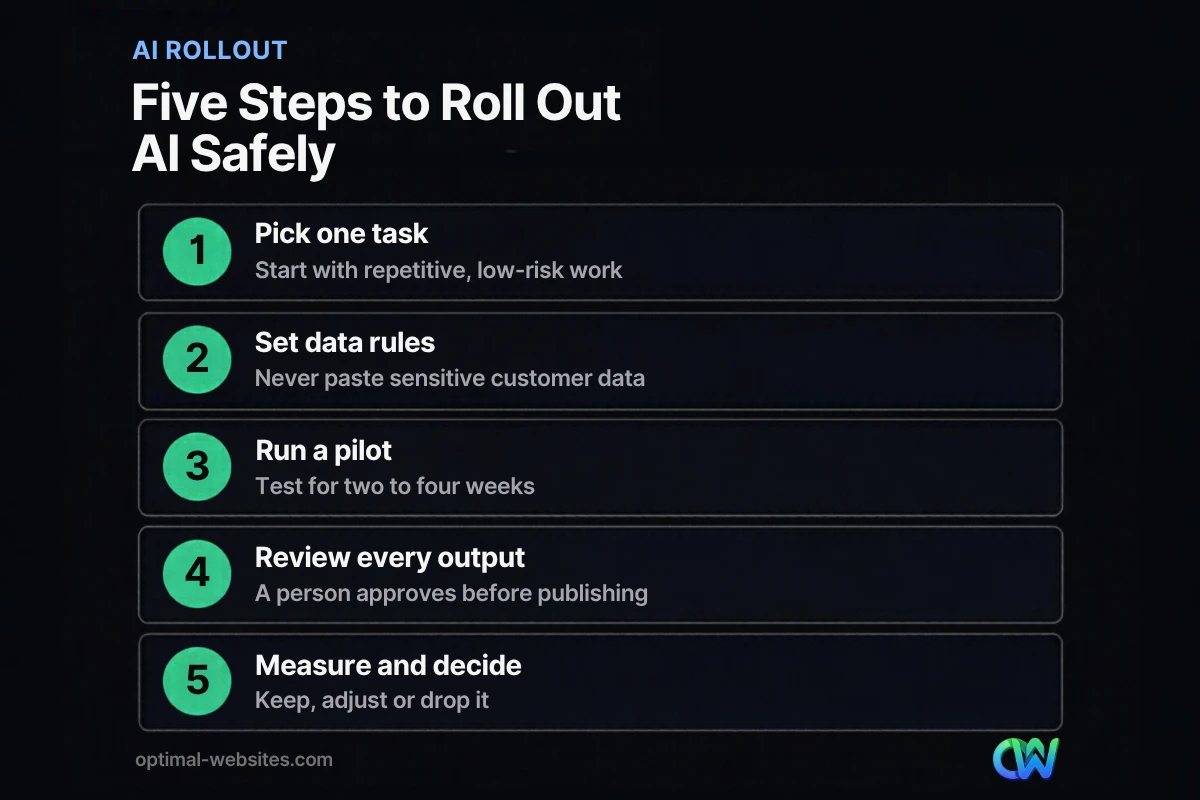
Roll out AI one task at a time: pick a low-risk job, set data rules, run a short pilot, review every output and measure the result before expanding. This keeps costs low and stops one bad tool from damaging customer relationships.
AI rollout checklist
- Pick one task. Choose something repetitive and easy to check, such as FAQ replies or meeting summaries.
- Write down the goal. Decide what success looks like, for example faster replies to quote requests or fewer hours spent on invoices.
- Set data rules. List what must never go into the tool: customer financial details, health information, passwords and confidential contracts.
- Check the vendor. Read the privacy policy and terms. Confirm how data is stored, whether it trains the model and how to delete it.
- Run a two to four week pilot. Use the tool on real work with one or two team members.
- Review every output. A person approves anything customers will see.
- Measure and decide. Compare time saved and errors found against the cost. Keep it, adjust it or drop it.
- Document and train. Write a one-page guide covering approved uses, banned uses and who reviews what.
- Revisit quarterly. AI features change quickly, so review your tools, prices and policies a few times a year.
Where Does Your Website Fit Into an AI Plan?
Your website is where many AI tools meet your customers, so it needs to be fast, accurate and built to capture leads. A chatbot on a slow, outdated site will not fix a weak first impression, and AI-written pages without real expertise rarely earn trust.
At Optimal Websites, a WordPress web design agency based in Delaware, we build mobile-first sites with Elementor Pro for contractors, roofers, law firms and local service businesses. In that work, the pattern is consistent: AI helps most when the basics are already solid. That means clear service pages, a simple quote form, accurate business information and a site the owner can update. With that foundation, adding a chat widget or AI-assisted content is straightforward.
If your main goal is turning more website visitors into leads, fix the page speed, mobile layout and calls to action first. Then add AI where it speeds up your response.
How Optimal Websites Can Help
AI tools work better on a website built to convert. Our WordPress web design and development service creates fast, mobile-first sites with Elementor Pro, and every client gets video training to edit their own pages. That makes it easy to keep chatbot answers, service details and prices accurate as your business changes.
If you would rather not rely on AI for your articles, our professional blog writing service produces researched, human-reviewed content. You can compare our website packages and pricing, which start at $999 for Starter, $1,499 for Professional and $1,999 for Advanced Custom. Most projects launch in 2–4 weeks.
Frequently Asked Questions
What are the best AI tools for small business owners to start with?
The best AI tools for small business owners to start with are the ones built into software you already use, plus one general assistant for drafting. Email, calendar, accounting and help desk platforms often include AI features that work with your existing data. Start with one low-risk task, such as summarizing meetings or drafting FAQ replies, and expand only after a short pilot shows real time savings.
Is it safe to use AI with customer information?
It can be, but only after you check how the vendor handles data. Read the privacy policy, confirm whether your inputs are used to train models and look for business plans with stronger data controls. As a rule, keep financial details, health information, passwords and confidential contracts out of general AI assistants. The SBA advises avoiding sensitive or proprietary data in AI tools.
Can an AI chatbot replace my customer service team?
No. An AI chatbot can answer common questions, collect lead details after hours and route requests, but it cannot handle complaints, refunds or complex judgment calls well. Think of it as a front desk that never sleeps, backed by real people who follow up quickly. Review chat transcripts regularly and update the approved answers whenever your services, hours or prices change.
Should I use AI to write my website content and blog posts?
AI is useful for outlines and first drafts, but publishing unedited AI content is risky. Generative AI can include false facts, and generic copy rarely stands out to customers. Use AI to speed up drafting, then add your real experience, local details and verified information. A person should fact-check and edit every page before it goes live on your website.
How much do AI tools for small business cost?
Costs vary widely. Many AI tools for small business offer free or low-cost basic plans, and paid business plans are often billed per user each month. AI features are also increasingly bundled into software you already pay for. Before upgrading, run a free or trial pilot on one task, measure the hours saved and compare that to the subscription cost.
Do I have to tell customers I use AI?
Disclosure rules depend on your location, industry and how you use AI, so check with an attorney for your situation. As a best practice, be transparent when customers are chatting with a bot rather than a person, and never exaggerate what your AI features do in your marketing. Honest communication protects customer trust and reduces legal risk.
What is AI hallucination and why does it matter?
AI hallucination is when a generative AI tool produces confident but false information. NIST calls this “confabulation” and lists it as a key generative AI risk. For a small business, it can mean a chatbot quoting a wrong price or a draft citing a fake statistic. That is why a person should review anything AI produces before customers see it.
Ready to Get Started?
Want a website that is ready for AI chat, faster lead response and content you can update yourself? Request a free quote or call us at (302) 554-9497 for a free consultation.


